
Weddings and parties are milestone events filled with joy, laughter, and precious memories. What better way to relive these moments than through a captivating video recap? CapCut Desktop Video Editor offers a user-friendly yet powerful platform to transform raw footage into polished, shareable memories. This article will guide you through creating engaging wedding and party recaps using CapCut, from importing footage to adding the final touches.
How to Create Recap Videos by Using CapCut Desktop Video Editor
1. Importing and Organizing Your Footage
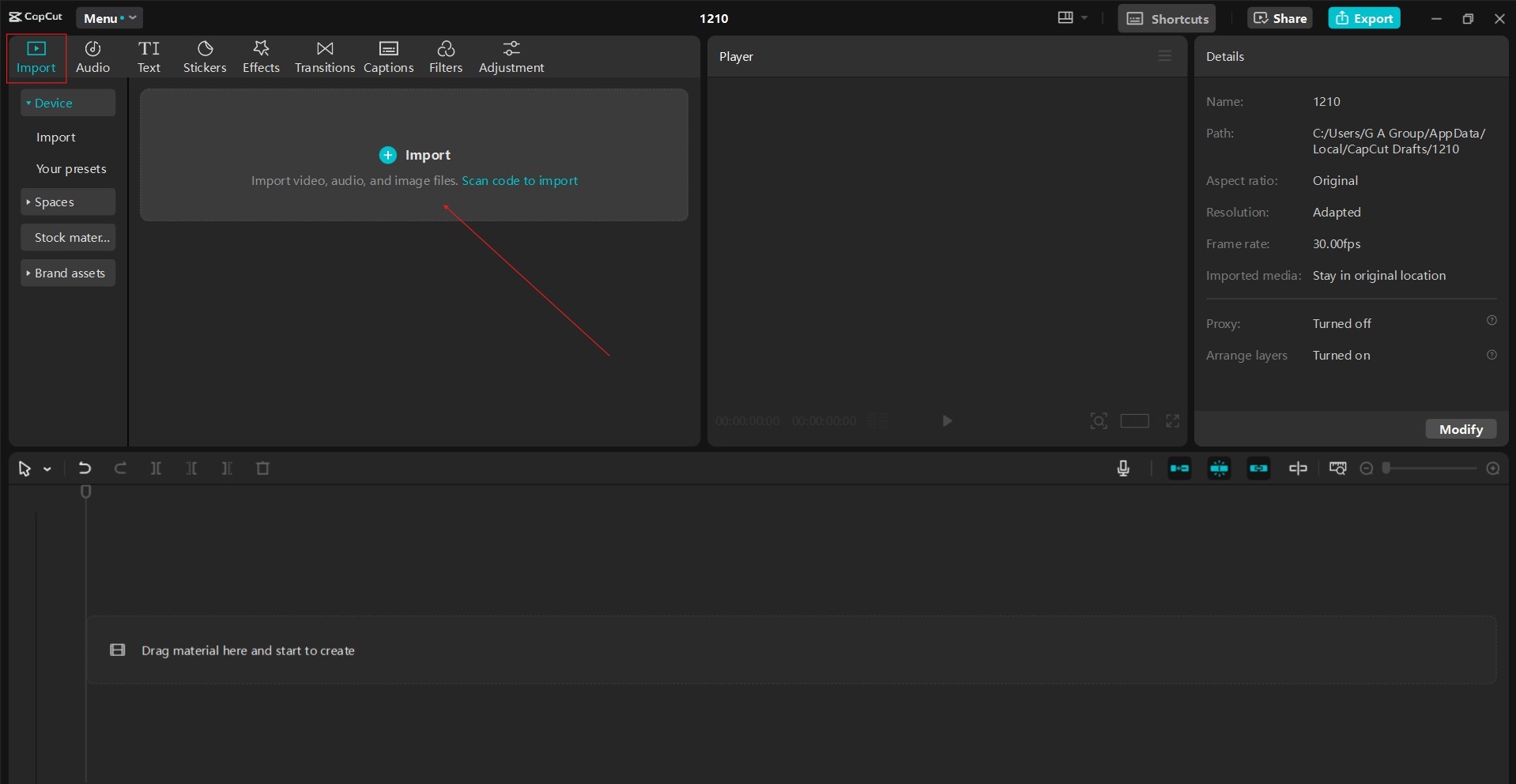
The first step is gathering all your video clips and photos. Organize them into folders based on event segments (e.g., ceremony, reception, speeches) to streamline the editing process. Once you’ve installed CapCut Desktop Video Editor, import your media. CapCut video editing software supports various video and image formats, making it versatile for different camera sources.
2. Setting the Mood with Music
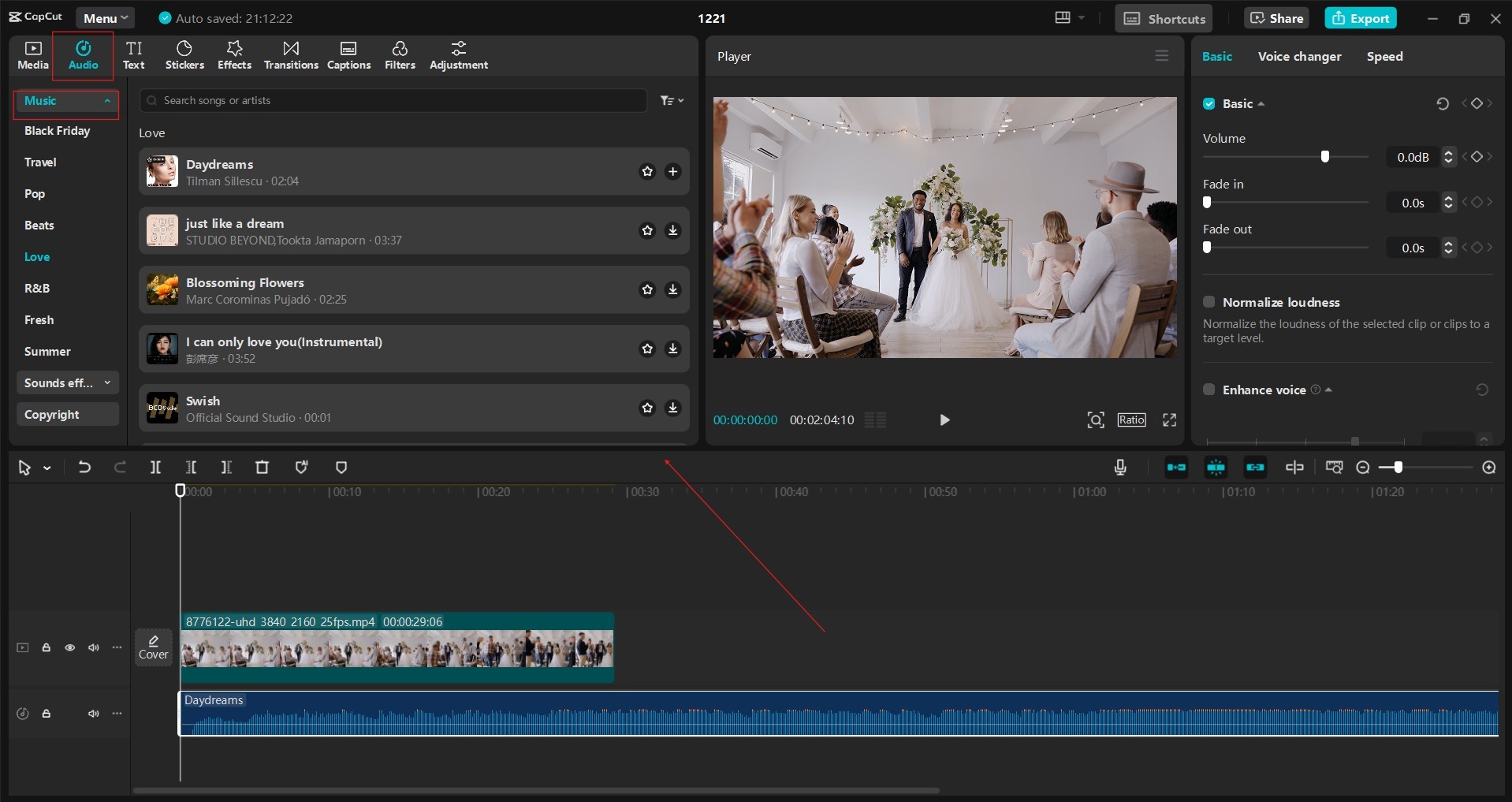
Music plays a crucial role in setting the tone of your recap. Choose a soundtrack that complements the event’s atmosphere. For weddings, consider romantic ballads or upbeat celebratory tunes. For parties, select music that reflects the energy and vibe. CapCut Desktop Video Editor provides a library of royalty-free music and sound effects. You can also import your music tracks. Trim the music to fit the length of your video and adjust the volume to ensure it doesn’t overpower the audio from your clips. You can add captions to your video using CapCut’s AI Caption Generator feature.
3. Trimming and Sequencing Your Clips
CapCut’s intuitive timeline allows you to easily trim unwanted portions of your video clips and arrange them in a compelling sequence. Focus on highlighting key moments: the bride walking down the aisle, the couple’s first dance, heartfelt speeches, and energetic dance floor moments. Use transitions to connect different clips smoothly. CapCut offers a variety of transitions, from simple cuts and fades to more dynamic effects.
4. Adding Text and Titles
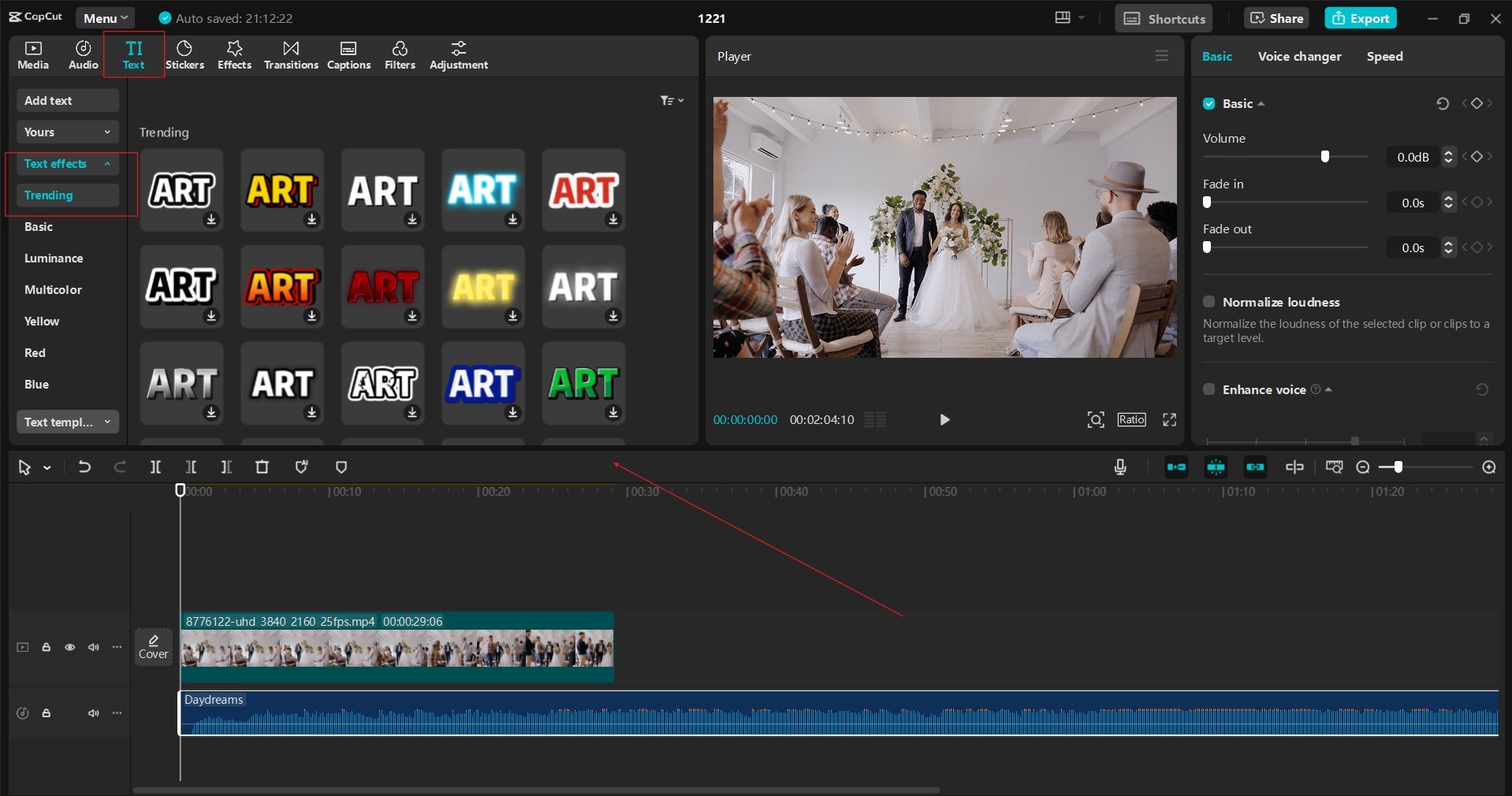
Text and titles can add context and personality to your recap. Include the couple’s names or the event’s date and location. You can also add captions to highlight specific moments or quotes from speeches. CapCut provides a range of text styles, fonts, and animations. Customize the text’s color, size, and position to ensure it’s legible and visually appealing.
5. Enhancing Visuals with Effects and Filters
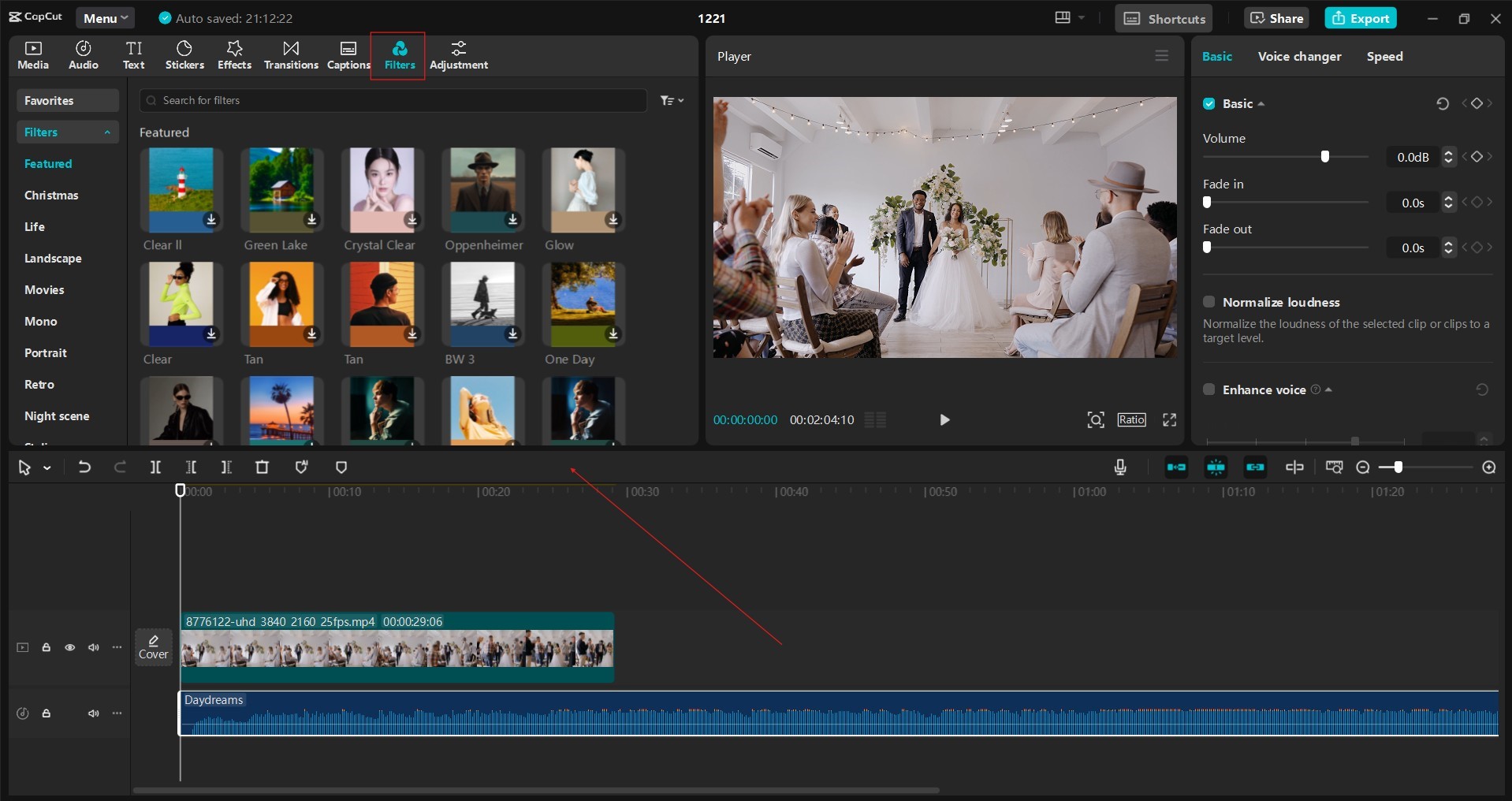
CapCut Desktop Video Editor offers many effects and filters to enhance the visual appeal of your recap. Use filters to create a consistent look and feel, whether it’s a vintage vibe, a cinematic look, or a bright and cheerful aesthetic. Experiment with effects like slow motion or speed ramps to add dynamism and emphasize key moments. Adjust brightness, contrast, and saturation to optimize the video’s look.
6. Incorporating Photos and Graphics
Photos can be seamlessly integrated into your video recap. Use them to showcase details like decorations, flowers, or candid moments. You can also create title cards or intro sequences using graphics and animations. CapCut Desktop Video Editor lets you remove background from video using Video Background Remover. You can easily import images, adding another layer of visual interest to your recap.
7. Adding Voiceovers or Sound Effects
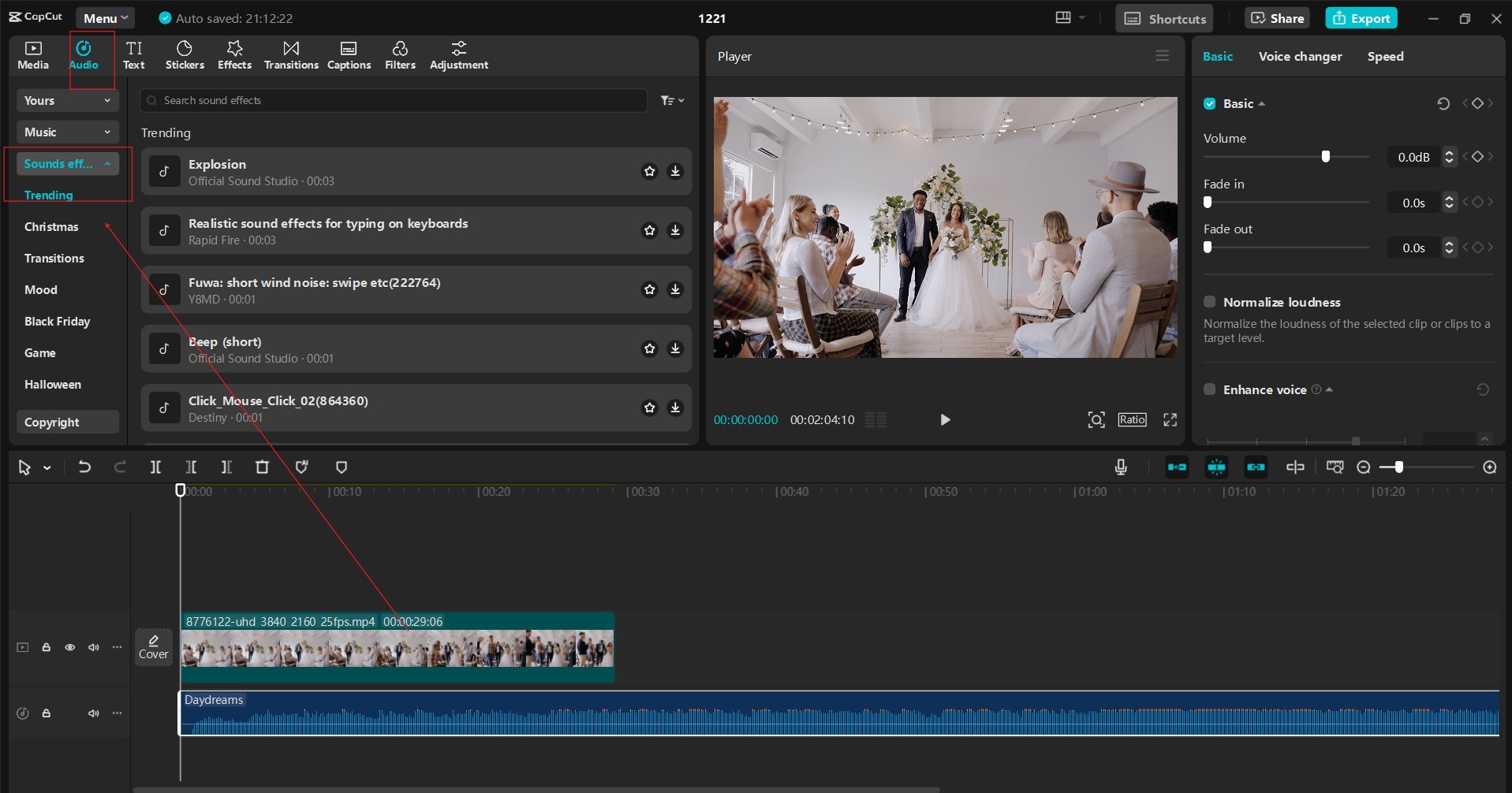
Consider adding voiceovers to narrate the event or include snippets of speeches or toasts. You can also incorporate sound effects, like applause, laughter, or music cues to enhance specific moments. CapCut Desktop Video Editor allows you to record voiceovers and text-to-speech AI directly within the and provides tools to adjust audio levels and clarity.
8. Exporting and Sharing Your Recap
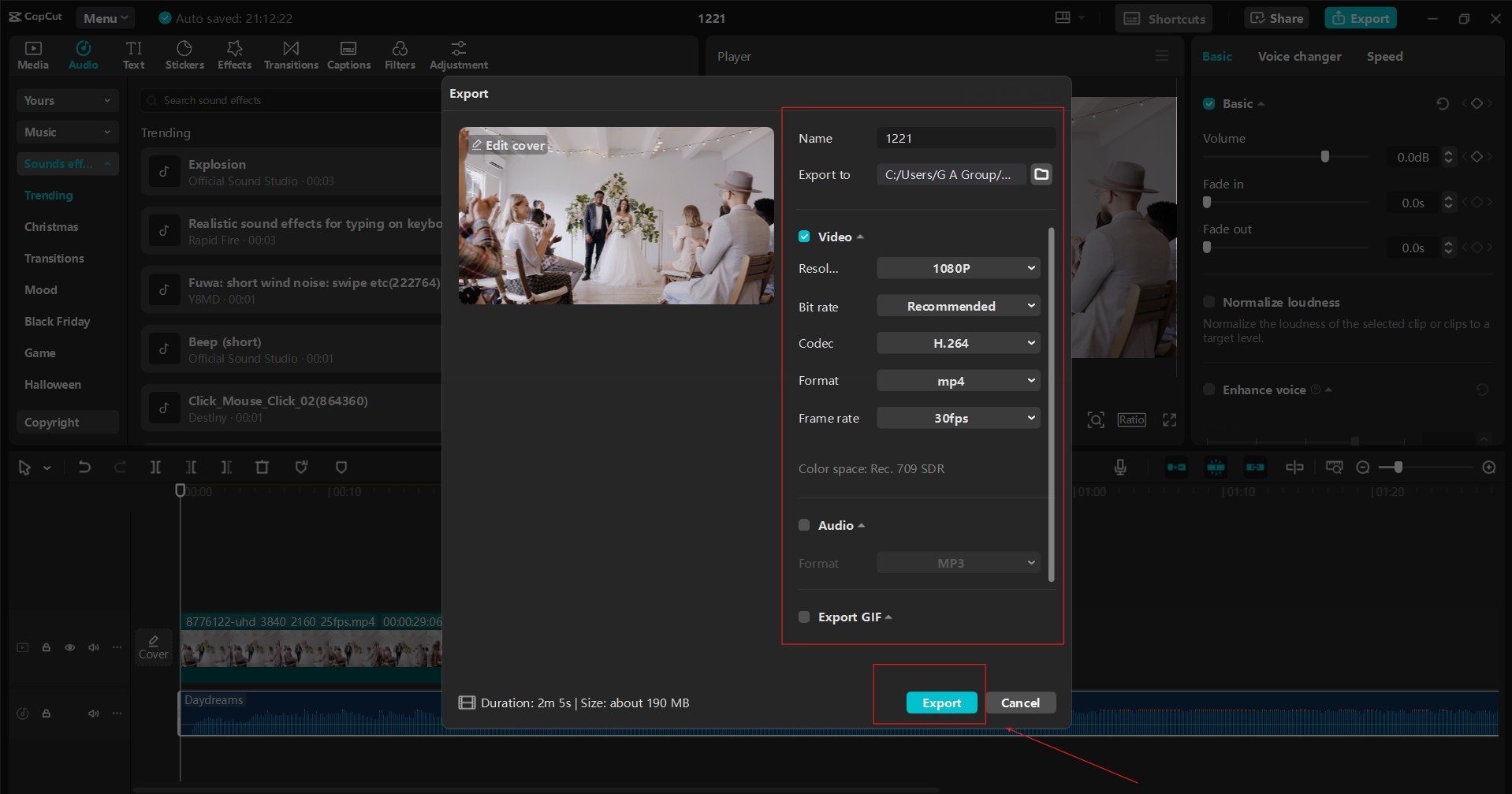
Once you’re satisfied with your masterpiece, it’s time to export it. CapCut allows you to customize the video’s resolution, frame rate, and format. Choose settings appropriate for your intended sharing platform, whether social media such as TikTok, Instagram or YouTube, email, or a personal website. Once exported, share your recap with friends, family, and the happy couple to relive the special moments.
CapCut’s Key Features for Wedding and Party Recaps:
CapCut’s blend of simplicity and advanced tools caters to a broad audience. Beginners benefit from its intuitive interface and ready-to-use templates, while professionals can leverage its keyframe animations, multi-layer editing, and advanced effects for sophisticated projects. Furthermore, its free pricing model makes it accessible to everyone.
- User-friendly interface: CapCut’s intuitive design makes it easy for beginners to create professional-looking videos.
- Extensive music and sound effects library: Find the perfect soundtrack to complement your event.
- Variety of transitions and effects: Add visual flair and dynamism to your recap.
- Text and title customization: Add context and personality with stylish text and animations.
- Photo and graphics integration: Incorporate photos and create visually appealing title cards.
- Voiceover and audio editing tools: Add narration and enhance sound quality.
- Flexible export options: Customize video settings for various sharing platforms.
Conclusion
CapCut Desktop Video Editor empowers anyone to create professional-quality wedding and party recaps. Its intuitive interface, extensive features, and free access make it an excellent choice for capturing and sharing precious memories. By following these tips and exploring CapCut’s capabilities, you can transform raw footage into captivating videos that will be cherished for years.