New York Tech Media
  • News
  • FinTech
  • AI & Robotics
  • Cybersecurity
  • Startups & Leaders
  • Venture Capital
No Result
View All Result
  • News
  • FinTech
  • AI & Robotics
  • Cybersecurity
  • Startups & Leaders
  • Venture Capital
No Result
View All Result
New York Tech Media
No Result
View All Result
Home News

How to stop Alexa from announcing what’s in your packages this holiday season

New York Tech Editorial Team by New York Tech Editorial Team
December 12, 2021
in News
0
How to stop Alexa from announcing what’s in your packages this holiday season
Share on FacebookShare on Twitter

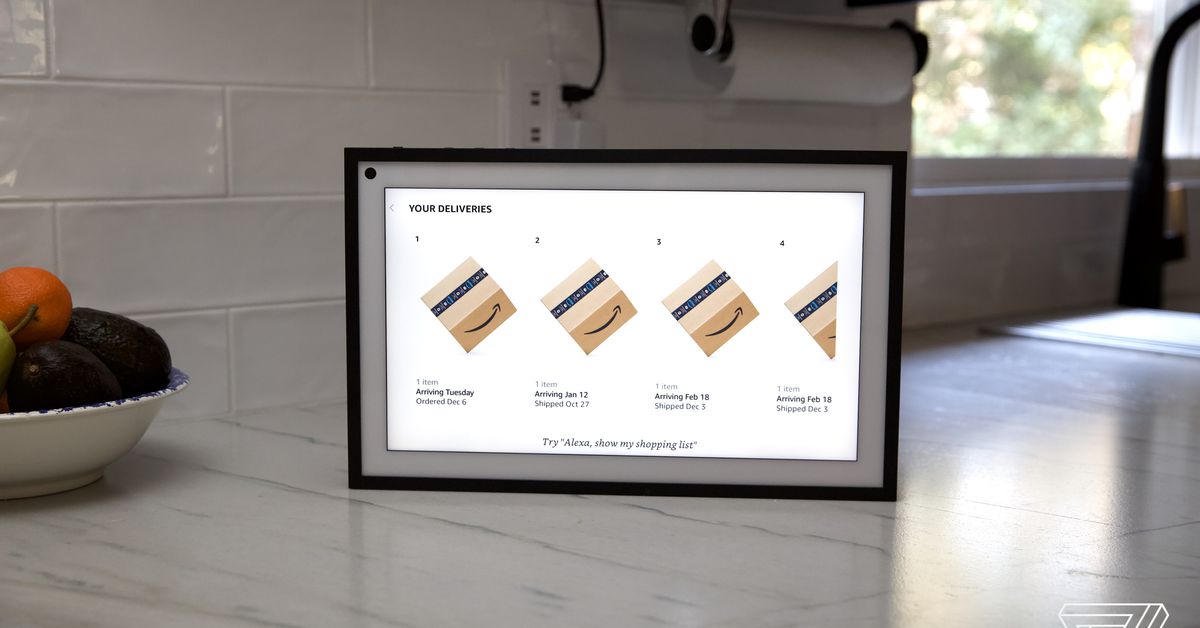
Echo smart speakers and smart displays have a handy feature that can show and tell you when there’s a package sitting on your doorstep and even what’s in it. While this can be helpful most of the time, around the holidays it could seriously ruin some surprises.

Avoid making any Grinch-like moves this holiday and manage your Amazon shopping notifications in the Alexa app to help keep the magic alive. Alongside options for tailoring package announcements, the notifications section of the app also has a number of settings you can toggle on or off to help make the voice assistant a little more helpful when it comes to purchases you make on Amazon. Below are a few of the most useful that you might want to tweak this holiday season.

How to turn off package notifications on Alexa

  • Open the Alexa app.
  • Tap on More in the bottom right hand corner.
  • Select Settings > Notifications > Amazon Shopping.
  • Under “Say or Show Item Titles” toggle off “including items in your shopping cart marked as gifts, or those that might be gifts during major holidays.”

One you are in the Amazon Shopping Notifications page of the Alexa app (far right) you can toggle on and off the different notifications you want to receive on your Echo speakers.
Screenshots by Jennifer Pattison Tuohy / The Verge

Once this is done, you will still get announcements on Echo speakers and on-screen notifications on Echo smart displays for your packages, but those you tagged as gifts in your shopping cart (or that Alexa suspects may be) won’t include a description of what they are.

This is handy if you actually do want the household to know there’s toilet paper on your doorstep, but not that the Nintendo Switch arrived. To ensure this works correctly, check “send as a gift” when the item is in your Amazon cart.

To be on the safe side, you can toggle off all the items under “Say or Show Item Titles.” Then you will just get word when a package is out for delivery or delivered but never what it is.

If you don’t want any package notifications from Alexa — anywhere, any way — and want to be surprised when you open the door toggle off all items on this screen. (Note — these settings only affect announcements on Echo speakers, you will still get any push, email or other notifications you’ve signed up for.)

How to stop Alexa asking you to rate purchases

Further down that same Amazon Shopping page are more options for asking the voice assistant to stay quiet.
Screenshot by Jennifer Pattison Tuohy / The Verge

While you’re here, if you’ve been getting annoyed by Alexa’s pestering you to rate that cheese grater you bought two months ago (this happened to me at 9:30PM when I asked Alexa to read my Audible book), there is a quick fix.

Scroll a bit further down on the same Shopping Notifications page and toggle off “Request to rate products you’ve purchased.”

You can also stop Alexa from announcing the latest deal on the laundry detergent you usually purchase by toggling off “Recommendations and Deals.”

There are other options in here you might want to check out if you often find your Alexa speaker flashing yellow — like it’s trying to get your attention (which it is).

If you use Amazon’s Subscribe & Save program Alexa can audibly notify you if an item in your upcoming delivery is out of stock, among other things. You can toggle this option on or off under Order Updates, this will affect announcements about any order updates.

You can use this screen to stop Alexa from randomly offering up “personalized recommendations and deals” on your speakers, as well as turn off voice-assistant updates about your Audible account (such as if you have a new credit).

Credit: Source link

Previous Post

Install the Microsoft Teams update for Android now to fix 911 calling bug

Next Post

Less govt interference will make startup ecosystem grow: Piyush Goyal

New York Tech Editorial Team

New York Tech Editorial Team

New York Tech Media is a leading news publication that aims to provide the latest tech news, fintech, AI & robotics, cybersecurity, startups & leaders, venture capital, and much more!

Next Post
Less govt interference will make startup ecosystem grow: Piyush Goyal

Less govt interference will make startup ecosystem grow: Piyush Goyal

  • Trending
  • Comments
  • Latest
Meet the Top 10 K-Pop Artists Taking Over 2024

Meet the Top 10 K-Pop Artists Taking Over 2024

March 17, 2024
10 Raunchy Movies on Netflix You Won’t Regret Watching

10 Raunchy Movies on Netflix You Won’t Regret Watching

May 20, 2024
Panther for AWS allows security teams to monitor their AWS infrastructure in real-time

Many businesses lack a formal ransomware plan

March 29, 2022
Zach Mulcahey, 25 | Cover Story | Style Weekly

Zach Mulcahey, 25 | Cover Story | Style Weekly

March 29, 2022
How To Pitch The Investor: Ronen Menipaz, Founder of M51

How To Pitch The Investor: Ronen Menipaz, Founder of M51

March 29, 2022
Clubhouse will soon let you pin links to the top of rooms

Clubhouse will soon let you pin links to the top of rooms

October 23, 2021
Startups On Demand: renovai is the Netflix of Online Shopping

Startups On Demand: renovai is the Netflix of Online Shopping

2
Robot Company Offers $200K for Right to Use One Applicant’s Face and Voice ‘Forever’

Robot Company Offers $200K for Right to Use One Applicant’s Face and Voice ‘Forever’

1
Menashe Shani Accessibility High Tech on the low

Revolutionizing Accessibility: The Story of Purple Lens

1

Netgear announces a $1,500 Wi-Fi 6E mesh router

0
These apps let you customize Windows 11 to bring the taskbar back to life

These apps let you customize Windows 11 to bring the taskbar back to life

0
This bipedal robot uses propeller arms to slackline and skateboard

This bipedal robot uses propeller arms to slackline and skateboard

0
AI generated image courtesy of Famous Labs

Famous.ai and the Small Business Owner Who No Longer Needs Silicon Valley

June 17, 2026
Checkout customer service

Perion Selected by Best Buy Canada to Power Programmatic Retail DOOH Media Network

June 17, 2026
three men posing outdoors

An AI Company on a Tiny Island Just Beat the Biggest Names on Wall Street. Here’s the Part That Should Surprise You.

June 2, 2026
man in a blue coat wearing glasses

Why Human Skills Matter More Than Ever in the AI Era

May 27, 2026
essential travel gadgets

May 24, 2026
graphic of Next-Gen Entrepreneurs event

Leadership, Judgment, and Innovation: A Post-Event Conversation with Dr. Fang Miao

May 21, 2026

Recommended

AI generated image courtesy of Famous Labs

Famous.ai and the Small Business Owner Who No Longer Needs Silicon Valley

June 17, 2026
Checkout customer service

Perion Selected by Best Buy Canada to Power Programmatic Retail DOOH Media Network

June 17, 2026
three men posing outdoors

An AI Company on a Tiny Island Just Beat the Biggest Names on Wall Street. Here’s the Part That Should Surprise You.

June 2, 2026
man in a blue coat wearing glasses

Why Human Skills Matter More Than Ever in the AI Era

May 27, 2026

Categories

  • AI & Robotics
  • Benzinga
  • Cybersecurity
  • FinTech
  • New York Tech
  • News
  • Startups & Leaders
  • Venture Capital

Tags

AI AI QSRs Allseated Automat-it AWS B2B marketing Business CISO CISO Whisperer Collaborations Companies To Watch cryptocurrency Cybersecurity Entrepreneur Fetcherr Finance FINQ Fintech Funding Announcement hi-tech Hi Auto Impala Investing Investors investorsummit Israel israelitech Leaders LinkedIn Leaders Metaverse Mindset Minnesota omri hurwitz PointFive PR QSR Real Estate start- up startupnation Startups Startups On Demand Tech Tech leaders Unlimited Robotics VC
  • Contact Us
  • Privacy Policy
  • Terms and conditions

© 2024 All Rights Reserved - New York Tech Media

No Result
View All Result
  • News
  • FinTech
  • AI & Robotics
  • Cybersecurity
  • Startups & Leaders
  • Venture Capital

© 2024 All Rights Reserved - New York Tech Media