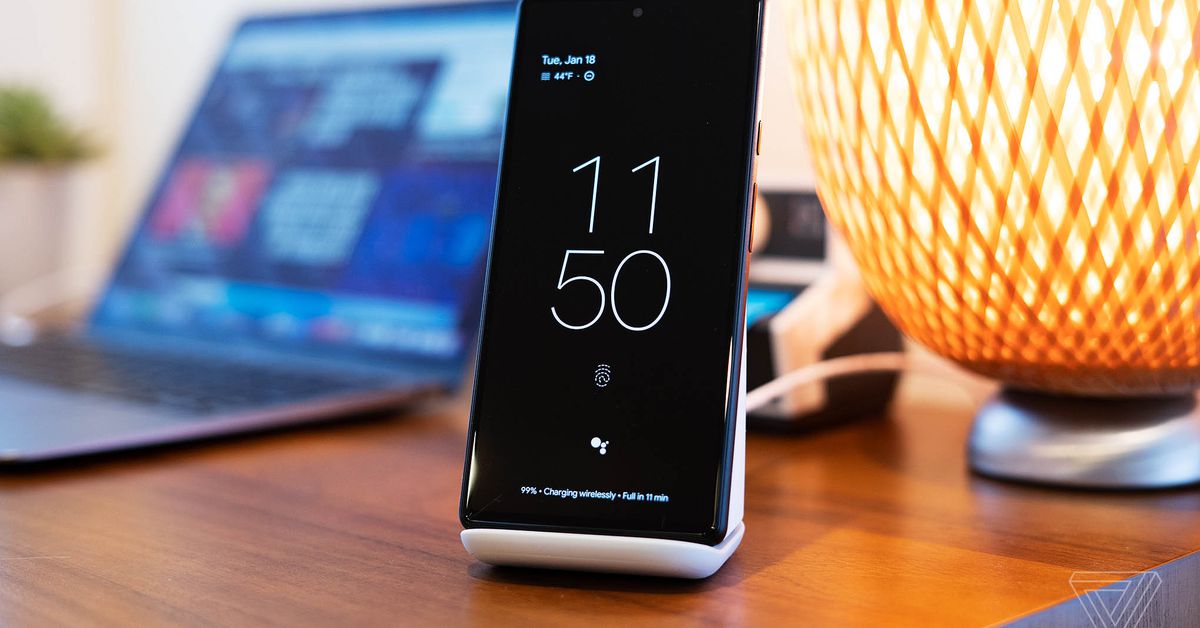
The latest Google Pixel Stand is less of a “must-have” accessory if you’re a Pixel phone owner and more of a “nice to have.” For $79, its primary job is fast wireless charging, and it does that well. But unless you’re a Pixel 6 or 6 Pro owner and you’re really sold on one of the stand’s handful of extra features supported by your phone, then you’d be better off saving your money and getting an inexpensive third-party charger.
The aptly named Pixel Stand (2nd gen) is Google’s second take on a fast wireless charger built to complement its Pixel phones. You don’t have to own a Pixel phone to use it since it works with Qi-compatible gadgets, but you will need a 6 or a 6 Pro to get the fastest charging speeds. You’ll also need the January 2022 security update or later, which, if you’re a Pixel 6 owner, you’ll want to download for a whole bunch of reasons anyway.
Like the original Pixel Stand, it does some multi-tasking while charging your phone. While your Pixel phone is docked on the stand, it can display images from your Google Photos albums to act as a kind of digital picture frame. During setup the first time you put your phone on the charger, you can specify which albums you’d like it to pull images from, and photos are displayed in batches of five to 10 at a time, slideshow style.
:format(webp):no_upscale()/cdn.vox-cdn.com/uploads/chorus_asset/file/23179777/ajohnson_220118_4974_0001.jpg)
Other features are geared toward bedside use. There’s an option to automatically turn on “do not disturb” when the phone is placed on the charger, and you can have the display automatically turn off in a dark room. There’s also a “sunrise” alarm that gradually brightens your display in the 15 minutes before your alarm goes off. You can specify a window of time for this feature, so it isn’t applied to other alarms throughout the day — just your wake-up call.
As for its main job — charging your phone — it does this effectively. I noticed some false starts here and there when I’d set the phone on the stand, and it would start charging, only to stop momentarily before picking it up again. This didn’t cause any problems; it just gave me a few moments of concern as I tried to figure out if it was mounted on the stand correctly.
The Pixel Stand 2 offers 23W charging with the Pixel 6 Pro and 21W for the Pixel 6 — quite speedy for wireless charging on a phone that isn’t made by OnePlus. It took a totally depleted Pixel 6 Pro battery from zero to 100 percent in almost exactly two hours, which is impressive. My more typical day-to-day use case was topping off the battery on a Pixel 6, taking it from 70–80 percent back to 100 percent, which took around 30 minutes using the fastest charging mode. The Stand offers a slightly slower 15W charging for other Qi-compatible phones and devices.
:format(webp):no_upscale()/cdn.vox-cdn.com/uploads/chorus_asset/file/23179780/ajohnson_220118_4974_0004.jpg)
As for the extras, I like the photo frame feature more than I thought I would. I’m not sure I want to commit to owning and curating images for a dedicated digital picture frame, but I do happen to have dozens (okay, hundreds) of photos of my four-month-old on Google Photos that I like looking through. Having them displayed at my desk on my phone is kind of a nice middle ground — I get to actually see and appreciate the many, many photos I take without hassling with another device. I’m sure that my colleagues who review smart home tech could direct me to a number of smart displays that do this kind of thing already, but I digress.
If I have one complaint about this feature, it’s that it tends to pick favorites and show those over and over. This might be because it favors portrait orientation photos, and I tend to shoot more landscape. In any case, you can tap the screen to end the current slideshow and swipe the lock screen to shuffle the selection and start a new one.
:format(webp):no_upscale()/cdn.vox-cdn.com/uploads/chorus_asset/file/23179783/ajohnson_220118_4974_0006.jpg)
The Stand’s nightstand-oriented features work well, too. The sunrise alarm is a pleasant way to wake up, and the ability to detect a dark room and turn off the screen accordingly makes it a good bedside companion. But these features feel a little at odds with the Stand’s main draw: fast wireless charging. If I’m charging my phone overnight, then I don’t need the absolute fastest speeds. I wouldn’t see the photo frame feature much either since my phone doesn’t spend much time on the bedside dock during the day.
I also encountered a couple of problems with Google Assistant while using the stand. After I tap the Assistant icon on the lock screen while docked, the phone will register my voice commands but will unhelpfully ignore everything it just heard me say and display “How can I help?” text on the screen. Accessing the assistant by saying, “Hey Google,” on the lock screen works just fine, though, and that’s not a Stand feature — just something you can enable on any Pixel phone.
:format(webp):no_upscale()/cdn.vox-cdn.com/uploads/chorus_asset/file/23179779/ajohnson_220118_4974_0003.jpg)
Then there’s the built-in fan; it’s fairly quiet, but if the fan is running at full speed, the assistant struggles to hear me at all. You can choose a quiet charging mode to avoid this, but then you’re missing out on those super-fast charging speeds.
The Pixel Stand 2 isn’t inexpensive: at $79, it’s well more than the $30-ish standard Qi charging stands you can find on Amazon. If you own a Pixel 6 or 6 Pro, really want fast wireless charging, and think you’d particularly like any of the extras that the Stand (2nd gen) offers, then you’ll probably find its 80 bucks well spent. But if you’re only mildly interested in the bedside or photo frame features and fast wireless charging isn’t essential, save yourself some money and go for a standard Qi charger. You could even add a digital picture frame to your cart for the same cost, too.
Photography by Allison Johnson / The Verge
Credit: Source link