New York Tech Media
  • News
  • FinTech
  • AI & Robotics
  • Cybersecurity
  • Startups & Leaders
  • Venture Capital
No Result
View All Result
  • News
  • FinTech
  • AI & Robotics
  • Cybersecurity
  • Startups & Leaders
  • Venture Capital
No Result
View All Result
New York Tech Media
No Result
View All Result
Home News

How to install Fortnite on Android

New York Tech Editorial Team by New York Tech Editorial Team
October 20, 2021
in News
0
How to install Fortnite on Android
Share on FacebookShare on Twitter

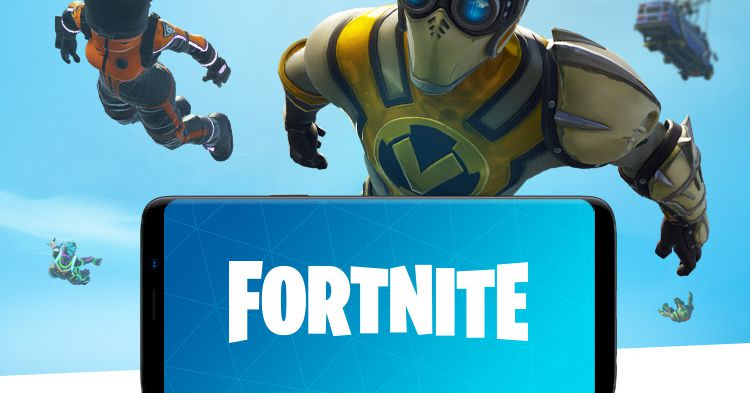
Epic Games launched its battle royale hit Fortnite on Android devices in 2018 with a big catch: it was exclusive to Samsung-made phones for a few days as a way to help market the then-new Samsung Galaxy Note 9.

At the time, would-be players had to deal with a waiting list and / or a restrictive list of qualified Android phones. These days, it’s a lot easier — but you still need to download it directly from Epic. (Epic CEO Tim Sweeney said this is basically to avoid paying Google’s 30 percent cut on in-app purchases.) Epic is using its own website and a Fortnite Installer program to distribute the game more widely on all compatible Android devices.

Here’s a step-by-step breakdown to make sure you’re prepared and understand the best way to start playing Fortnite on Android. But before we get to the nitty-gritty, a brief warning:

Avoid the Play Store

First and foremost, do not download anything from the Google Play Store or from a third-party web source. Epic has made it clear that it’s only distributing Fortnite on Android through its own website and through Samsung’s Galaxy Store. Searching for the game on the Play Store will get you a simple “No results” message. (Originally, searches would return a special warning from Google reading, “Fortnite Battle Royale by Epic Games, Inc is not available on Google Play” because of worries about malware-laden fake versions.)

Download the installer and then the game

Because of the unique distribution model here, you’ll have to download two separate applications. The first will be the Fortnite Installer, which is the official APK file that then installs the game.

In order to do this, you may need to turn off special permissions in your Android settings that allow you to download third-party applications, depending on which version of Android you have and what your existing security settings are. After that, you’ll need to go through a series of download sequences that are a bit more involved than your standard app installation.

Here’s a blow-by-blow of the steps you’ll go through:


  1. If you have a Samsung phone, you can go to the the Galaxy Store to download the installer for Epic Games. You can then skip to step 6.
  2. Otherwise, go directly to Epic’s site. You’ll find a page suggesting that you either visit fortnite.com/android on your phone or scan a QR code.
  3. Whichever method you choose, you’ll be sent to a page that gives you some instruction on what to expect. You’ll also get a pop-up for the installer; tap “Open.”
  4. You will probably get a security notice saying that your phone isn’t allowed to install unknown apps from that source. Tap on “Settings.” A page labeled “Install unknown apps” will let you toggle on “Allow from this source.”
  5. You will then be asked if you want to install the app. Tap on “Install.” When you get the “App install” pop-up, tap on “Done.”
  6. The installer will appear on your homepage and in your phone’s app list as Epic Games. You may also get a download notification for the APK. Tap on the icon or on the APK notification.
  7. You’ll land on a page with the Fortnite graphic. Tap on that, and then on “Install.”
  8. You’ll probably get that message again about installing unknown apps. Once again, tap on Settings and toggle on “Allow from this source.”
  9. The app will then install, load any updates, and open.

Once it’s completed, you should be able to boot up Fortnite, log into your account, and start playing. In the past, Epic has advised users to keep the Fortnite Installer program, as it’ll be responsible for updating the game with new patches.

Update October 20th, 2021, 11:50AM ET: This article was originally published on August 13th, 2018; the process of installing the game has been updated.

Credit: Source link
Previous Post

Inside a new robotic housing factory in British Columbia, Canada | News

Next Post

Fund advisor presses EV startup Rivian on environment, human rights ahead of IPO

New York Tech Editorial Team

New York Tech Editorial Team

New York Tech Media is a leading news publication that aims to provide the latest tech news, fintech, AI & robotics, cybersecurity, startups & leaders, venture capital, and much more!

Next Post
Fund advisor presses EV startup Rivian on environment, human rights ahead of IPO

Fund advisor presses EV startup Rivian on environment, human rights ahead of IPO

  • Trending
  • Comments
  • Latest
Meet the Top 10 K-Pop Artists Taking Over 2024

Meet the Top 10 K-Pop Artists Taking Over 2024

March 17, 2024
Panther for AWS allows security teams to monitor their AWS infrastructure in real-time

Many businesses lack a formal ransomware plan

March 29, 2022
Zach Mulcahey, 25 | Cover Story | Style Weekly

Zach Mulcahey, 25 | Cover Story | Style Weekly

March 29, 2022
How To Pitch The Investor: Ronen Menipaz, Founder of M51

How To Pitch The Investor: Ronen Menipaz, Founder of M51

March 29, 2022
10 Raunchy Movies on Netflix You Won’t Regret Watching

10 Raunchy Movies on Netflix You Won’t Regret Watching

May 20, 2024
Japanese Space Industry Startup “Synspective” Raises US $100 Million in Funding

Japanese Space Industry Startup “Synspective” Raises US $100 Million in Funding

March 29, 2022
Startups On Demand: renovai is the Netflix of Online Shopping

Startups On Demand: renovai is the Netflix of Online Shopping

2
Robot Company Offers $200K for Right to Use One Applicant’s Face and Voice ‘Forever’

Robot Company Offers $200K for Right to Use One Applicant’s Face and Voice ‘Forever’

1
Menashe Shani Accessibility High Tech on the low

Revolutionizing Accessibility: The Story of Purple Lens

1

Netgear announces a $1,500 Wi-Fi 6E mesh router

0
These apps let you customize Windows 11 to bring the taskbar back to life

These apps let you customize Windows 11 to bring the taskbar back to life

0
This bipedal robot uses propeller arms to slackline and skateboard

This bipedal robot uses propeller arms to slackline and skateboard

0
laptop on glass table

Automat-it Cuts Deployment Friction as Monce Scales AI Order Processing on AWS

April 13, 2026
Lee's Famous Recipe Chicken

Why Lee’s Famous Recipe Chicken Is Betting on Hi Auto to Quietly Rewire the Drive-Thru

April 9, 2026
computer generated image of letters

San Francisco Tribune Lists 11 HumanX Startups Moving AI Closer to the Operating Core

April 8, 2026
Impala CEO and Highrise AI CEO

The Industrialization of AI Infrastructure: What Impala and Highrise AI Reveal About the Next Scaling Frontier

April 7, 2026
Employee Time Tracking

What is an Employee Time Tracking Solution? A Definite Guide for 2026

March 31, 2026
Voltify founders

Voltify Raises $30 Million Seed Round as It Challenges $1 Trillion Rail Electrification Model

March 31, 2026

Recommended

laptop on glass table

Automat-it Cuts Deployment Friction as Monce Scales AI Order Processing on AWS

April 13, 2026
Lee's Famous Recipe Chicken

Why Lee’s Famous Recipe Chicken Is Betting on Hi Auto to Quietly Rewire the Drive-Thru

April 9, 2026
computer generated image of letters

San Francisco Tribune Lists 11 HumanX Startups Moving AI Closer to the Operating Core

April 8, 2026
Impala CEO and Highrise AI CEO

The Industrialization of AI Infrastructure: What Impala and Highrise AI Reveal About the Next Scaling Frontier

April 7, 2026

Categories

  • AI & Robotics
  • Benzinga
  • Cybersecurity
  • FinTech
  • New York Tech
  • News
  • Startups & Leaders
  • Venture Capital

Tags

AI AI QSRs Allseated Automat-it AWS B2B marketing Business CISO CISO Whisperer Collaborations Companies To Watch cryptocurrency Cybersecurity Entrepreneur Fetcherr Finance FINQ Fintech Funding Announcement hi-tech Hi Auto Impala Investing Investors investorsummit Israel israelitech Leaders LinkedIn Leaders Metaverse Mindset Minnesota omri hurwitz PointFive PR QSR Real Estate start- up startupnation Startups Startups On Demand Tech Tech leaders Unlimited Robotics VC
  • Contact Us
  • Privacy Policy
  • Terms and conditions

© 2024 All Rights Reserved - New York Tech Media

No Result
View All Result
  • News
  • FinTech
  • AI & Robotics
  • Cybersecurity
  • Startups & Leaders
  • Venture Capital

© 2024 All Rights Reserved - New York Tech Media