New York Tech Media
  • News
  • FinTech
  • AI & Robotics
  • Cybersecurity
  • Startups & Leaders
  • Venture Capital
No Result
View All Result
  • News
  • FinTech
  • AI & Robotics
  • Cybersecurity
  • Startups & Leaders
  • Venture Capital
No Result
View All Result
New York Tech Media
No Result
View All Result
Home Startups & Leaders

Mass Effect Legendary Edition is freezing or crashing on startup on PC

New York Tech Editorial Team by New York Tech Editorial Team
February 26, 2022
in Startups & Leaders
0
Mass Effect Legendary Edition is freezing or crashing on startup on PC
Share on FacebookShare on Twitter

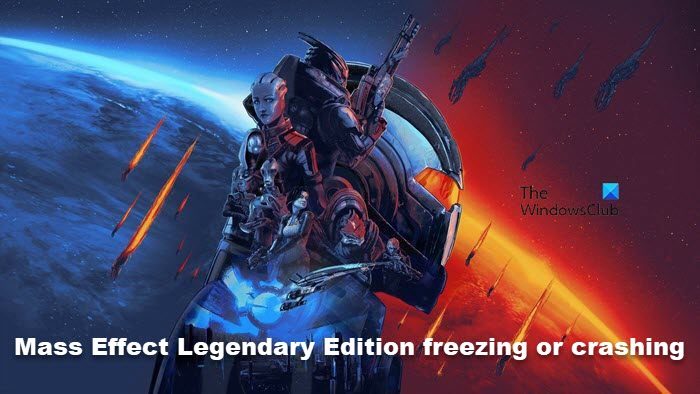
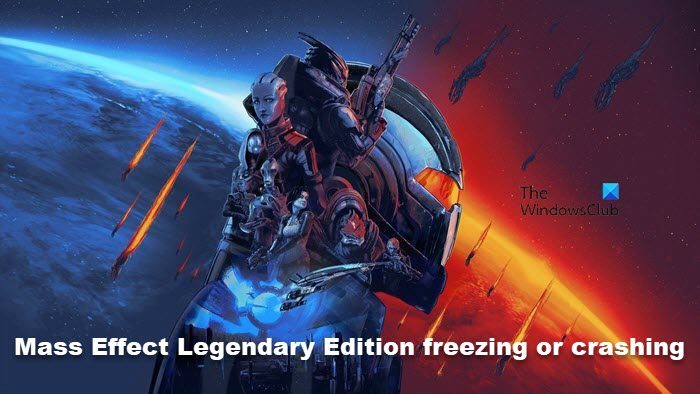
Mass Effect has been one of the most anticipated games of the recent past. However, for some, the anticipation didn’t turn out the way they expected. According to a lot of users, Mass Effect Legendary Edition is crashing on their Windows 11/10 computers.
Mass Effect Legendary Edition is freezing or crashing on startup on PC

Why Mass Effect Legendary Edition is crashing?

The most common explanation for the crashing of Mass effect legendary edition is outdated Graphics Driver. As they can cause compatibility issues. You can also look out for corrupted game files as it is another reason that can make the game crash. There are many reasons why it got corrupted, but the solution is pretty simple, just repair it via Launcher, we will talk about it in detail.

But before moving forward, we should check the system requirements to play Mass Effect. In case your system is not matching the required configuration, there is no way the game will run on your computer. Even if it starts running on your system, you will experience FPS drop, freezing, overheating, and crashing. So, if you have an inferior system, try other games but not this one.

Mass Effect Legendary Edition is freezing or crashing on startup on PC

If Mass Effect legendary edition is crashing then follow the given fixes to solve the issues.

  1. Verify the integrity of the game files
  2. Updated your Graphics Drivers
  3. Troubleshoot in Clean Boot
  4. Disable all overlays
  5. Turn off Vsync

Let’s get started with our first solution.

1] Verify integrity of game files

VERIFY-INTEGRITY-OF-GAME-FILES

Corrupted game files and crashing issues live in a harmony. And missing files can also outcast smooth gameplay, literally. However, you can verify the integrity of the game files. Here’s how you can do it.

  • Open Steam and navigate to the Library.
  • Right-click on Mass Effect Legendary edition and click on Properties.
  • Click on the Local Files tab.
  • Select Verify Integrity of Game Files.

The procedure will take some time and now go back to the game. Check for any errors. If it is still crashing, move to the next solution.

2] Update your Graphics Driver

Graphics drivers must stay updated every time. If it is outdated then you can bet that your game is going to have some issues. Sluggish gameplay, launching issues, and such problems can exist if you did not install the latest version of the GPU driver.

You can update the driver in any of the three ways. They are.

  1. Update Windows, Graphics Driver will be automatically updated.
  2. Use Device Manager to update Graphics Driver
  3. Get the latest version from the Manufacturer’s websites

Hopefully, updating the drive worked for you

3] Troubleshoot in Clean Boot

Overclocking software is said to be interfering with proper game functioning. In order to get rid of crashing, stuttering, lagging issues, you have to disable such Hardware monitors. However, we are not so sure about whether they are the culprit in this case or not. So, to find out which app is causing the issue, we have to perform Clean Boot. Once you know what’s causing the issue, you can disable or remove it.

4] Disable all overlays

Disable Steam Overlay

Yes, enabling overlays may get you access to advanced features in the game. But it can make you pay some price as well. Disabling all the overlays will provide you access to smooth gameplay, the reason why you enabled overlays in the first place.

Since the game is available on Steam, we are going to disable its Overlay first. Steps are mentioned below:

  1. Launch Steam Client.
  2. Click on Steam, and then go to Settings.
  3. In the In-Game tab, untick Enable the Steam Overlay while in-game.
  4. Click on the OK buttons to save the changes.

Restart your game, hopefully, you won’t face the same issues.

5] Turn off Vsync

Last but not the least, VSync forces is what we need to take into account. It allows the game to run at 60 FPS. This may sound good, but the thing is, your computer is unable to handle high frame rates and is getting overcooked. What you need to do is turn VSync off. This way, we can remove a bit of strain off your GPU as well as possibly get rid of the crashing issue, for good.

System requirement for Mass Effect Legendary Edition

Here are the following system requirements for the Mass effect legendary edition:

Minimum

  • CPU: Intel Core i5 3570 or AMD FX-8350
  • RAM: 8 GB
  • OS: Windows 10 64-bit
  • VIDEO CARD: NVIDIA GTX 760, AMD Radeon 7970 / R9280X VRAM: 2 GB Video Memory
  • FREE DISK SPACE: 120 GB
  • DEDICATED VIDEO RAM: 2048 MB

Recommended

  • CPU: Intel Core i7-7700 or AMD Ryzen 7 3700X
  • RAM: 16 GB
  • OS: Windows 10 64-bit
  • VIDEO CARD: NVIDIA GTX 1070 / RTX 200, Radeon Vega 56, VRAM: 4 GB Video Memory
  • FREE DISK SPACE: 120 GB
  • DEDICATED VIDEO RAM: 4 GB

How do I repair Mass Effect Legendary Edition?

You can easily repair Mass Effect Legendary Edition from the launcher itself, aka, Steam. What, you need to do is go to the Library, right-click on the game and select Properties. Then click Local Flies > Verify Integrity of Game Files. This will take a few seconds and your game will be repaired.

That’s it!

Also Check:

Mass Effect Legendary Edition is freezing or crashing on startup on PC

Credit: Source link

Previous Post

Super Pumped review: a bumpy ride that gets lost on its way

Next Post

These Display Startups Are Bringing NFTs Into the Real World

New York Tech Editorial Team

New York Tech Editorial Team

New York Tech Media is a leading news publication that aims to provide the latest tech news, fintech, AI & robotics, cybersecurity, startups & leaders, venture capital, and much more!

Next Post
These Display Startups Are Bringing NFTs Into the Real World

These Display Startups Are Bringing NFTs Into the Real World

  • Trending
  • Comments
  • Latest
Meet the Top 10 K-Pop Artists Taking Over 2024

Meet the Top 10 K-Pop Artists Taking Over 2024

March 17, 2024
Panther for AWS allows security teams to monitor their AWS infrastructure in real-time

Many businesses lack a formal ransomware plan

March 29, 2022
Zach Mulcahey, 25 | Cover Story | Style Weekly

Zach Mulcahey, 25 | Cover Story | Style Weekly

March 29, 2022
10 Raunchy Movies on Netflix You Won’t Regret Watching

10 Raunchy Movies on Netflix You Won’t Regret Watching

May 20, 2024
How To Pitch The Investor: Ronen Menipaz, Founder of M51

How To Pitch The Investor: Ronen Menipaz, Founder of M51

March 29, 2022
Japanese Space Industry Startup “Synspective” Raises US $100 Million in Funding

Japanese Space Industry Startup “Synspective” Raises US $100 Million in Funding

March 29, 2022
Startups On Demand: renovai is the Netflix of Online Shopping

Startups On Demand: renovai is the Netflix of Online Shopping

2
Robot Company Offers $200K for Right to Use One Applicant’s Face and Voice ‘Forever’

Robot Company Offers $200K for Right to Use One Applicant’s Face and Voice ‘Forever’

1
Menashe Shani Accessibility High Tech on the low

Revolutionizing Accessibility: The Story of Purple Lens

1

Netgear announces a $1,500 Wi-Fi 6E mesh router

0
These apps let you customize Windows 11 to bring the taskbar back to life

These apps let you customize Windows 11 to bring the taskbar back to life

0
This bipedal robot uses propeller arms to slackline and skateboard

This bipedal robot uses propeller arms to slackline and skateboard

0
laptop on glass table

Automat-it Cuts Deployment Friction as Monce Scales AI Order Processing on AWS

April 13, 2026
Lee's Famous Recipe Chicken

Why Lee’s Famous Recipe Chicken Is Betting on Hi Auto to Quietly Rewire the Drive-Thru

April 9, 2026
computer generated image of letters

San Francisco Tribune Lists 11 HumanX Startups Moving AI Closer to the Operating Core

April 8, 2026
Impala CEO and Highrise AI CEO

The Industrialization of AI Infrastructure: What Impala and Highrise AI Reveal About the Next Scaling Frontier

April 7, 2026
Employee Time Tracking

What is an Employee Time Tracking Solution? A Definite Guide for 2026

March 31, 2026
Voltify founders

Voltify Raises $30 Million Seed Round as It Challenges $1 Trillion Rail Electrification Model

March 31, 2026

Recommended

laptop on glass table

Automat-it Cuts Deployment Friction as Monce Scales AI Order Processing on AWS

April 13, 2026
Lee's Famous Recipe Chicken

Why Lee’s Famous Recipe Chicken Is Betting on Hi Auto to Quietly Rewire the Drive-Thru

April 9, 2026
computer generated image of letters

San Francisco Tribune Lists 11 HumanX Startups Moving AI Closer to the Operating Core

April 8, 2026
Impala CEO and Highrise AI CEO

The Industrialization of AI Infrastructure: What Impala and Highrise AI Reveal About the Next Scaling Frontier

April 7, 2026

Categories

  • AI & Robotics
  • Benzinga
  • Cybersecurity
  • FinTech
  • New York Tech
  • News
  • Startups & Leaders
  • Venture Capital

Tags

AI AI QSRs Allseated Automat-it AWS B2B marketing Business CISO CISO Whisperer Collaborations Companies To Watch cryptocurrency Cybersecurity Entrepreneur Fetcherr Finance FINQ Fintech Funding Announcement hi-tech Hi Auto Impala Investing Investors investorsummit Israel israelitech Leaders LinkedIn Leaders Metaverse Mindset Minnesota omri hurwitz PointFive PR QSR Real Estate start- up startupnation Startups Startups On Demand Tech Tech leaders Unlimited Robotics VC
  • Contact Us
  • Privacy Policy
  • Terms and conditions

© 2024 All Rights Reserved - New York Tech Media

No Result
View All Result
  • News
  • FinTech
  • AI & Robotics
  • Cybersecurity
  • Startups & Leaders
  • Venture Capital

© 2024 All Rights Reserved - New York Tech Media