New York Tech Media
  • News
  • FinTech
  • AI & Robotics
  • Cybersecurity
  • Startups & Leaders
  • Venture Capital
No Result
View All Result
  • News
  • FinTech
  • AI & Robotics
  • Cybersecurity
  • Startups & Leaders
  • Venture Capital
No Result
View All Result
New York Tech Media
No Result
View All Result
Home Startups & Leaders

How to stop apps from opening on startup on Windows and Mac

New York Tech Editorial Team by New York Tech Editorial Team
January 8, 2022
in Startups & Leaders
0
How to stop apps from opening on startup on Windows and Mac
Share on FacebookShare on Twitter

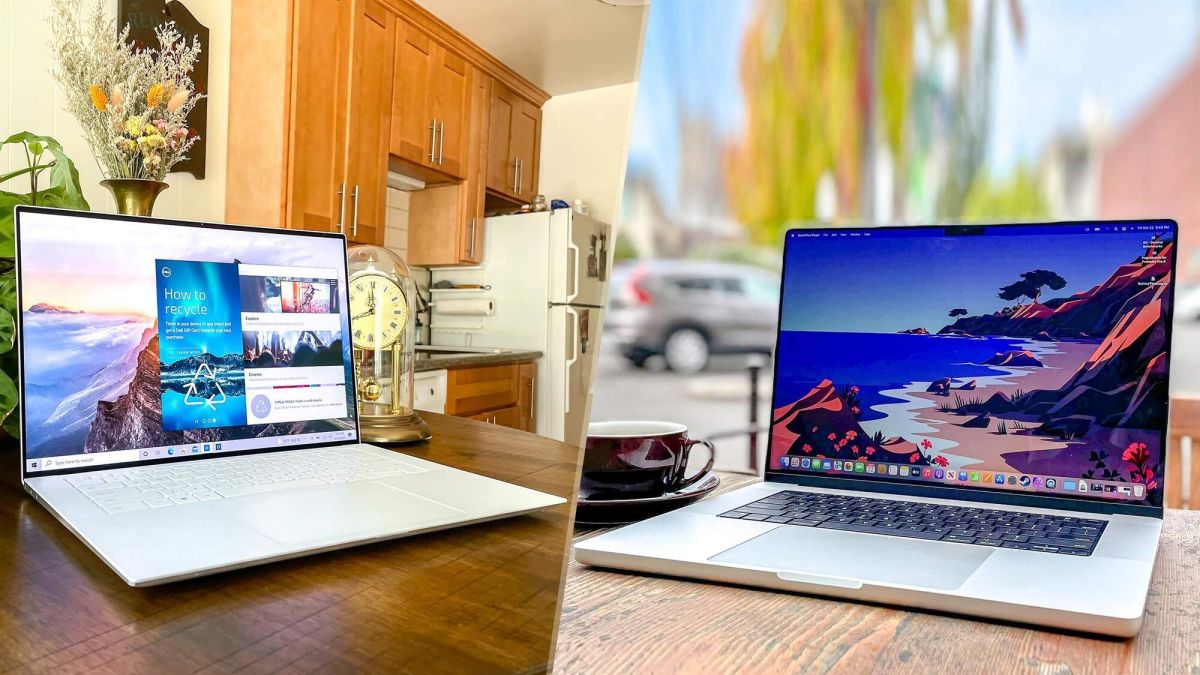
If you want to know how to stop apps from opening on startup, we understand why: it’s one of the most annoying things about installing software on a Windows or Mac device. 

Yes, you may well want Spotify or Steam starting up with your computer, but if every app does this against your will, you’re just wasting memory and system resources for the sake of it, delaying boot-up times and reducing performance.

While each app will likely have a setting hidden away to prevent it starting up with MacOS or Windows, there are also ways of disabling everything globally. Here’s how to stop apps from opening on startup, in both Windows and MacOS.

How to stop apps from opening on startup in Windows 

Note: The steps are the same for both Windows 10 and 11, though the screenshots below are from the latter.

1. Select Settings from the Windows Start menu.

A screenshot from Windows 11 showing the Settings options

(Image credit: Microsoft)

2. Select Apps from the submenu that appears. 

A screenshot from Windows 11 showing the Settings > Apps options

(Image credit: Microsoft)

3. Click Startup from the available options. In Windows 11, it’s at the very bottom of the list.

A screenshot from Windows 11 showing the Apps > Startup menu

(Image credit: Microsoft)

4. You’ll be presented with a list of every optional app that’s asked to start with Windows, along with a toggle to turn it on or off.  

A screenshot from Windows 11 showing the Apps > Startup options

(Image credit: Microsoft)

Apply these as you like, but note the ‘impact’ text to the right of each one, as it will tell you the benefit you’ll get from disabling any given bit of software. “No impact” or “low impact” may not be worth doing, while “high impact” will significantly improve startup times — or that’s Windows’ assessment, anyway.

How to stop apps from opening on startup in MacOS 

1. Press the menu button on your Mac — it’s the one shaped like the Apple logo in the top left-hand corner of the screen. From there, select System preferences. 

A screen from macOS showing the Apple Menu

(Image credit: Apple)

2. From the menu that opens up, select Users & Groups. 

A screen from macOS showing the System Preferences

(Image credit: Apple)

3. Switch the view to show Login Items on the bar at the top. Click an item you don’t want to start with MacOS, and then press the minus button at the bottom of the window to remove it. 

A screen from macOS showing the Users & Groups

(Image credit: Apple)

4. There’s also an easier way to do this on an app-by-app basis. Just right click an item that’s open in the dock, select Options and then tick or untick Open at Login.  

A screen from macOS showing the Open at Login option

(Image credit: Apple)

Pretty simple either way, then — but the result will be a far faster boot-up process and no time wasted closing down unwanted apps.

For more time-saving tutorials, head to the Tom’s Guide How To section.

Today’s best Apple Macbook Air (2020) deals

Credit: Source link
Previous Post

3 Under-the-Radar Fintech Growth Stocks for 2022

Next Post

The Army is Turning Robotic Combat Vehicles into Tank Hunters

New York Tech Editorial Team

New York Tech Editorial Team

New York Tech Media is a leading news publication that aims to provide the latest tech news, fintech, AI & robotics, cybersecurity, startups & leaders, venture capital, and much more!

Next Post
The Army is Turning Robotic Combat Vehicles into Tank Hunters

The Army is Turning Robotic Combat Vehicles into Tank Hunters

  • Trending
  • Comments
  • Latest
Meet the Top 10 K-Pop Artists Taking Over 2024

Meet the Top 10 K-Pop Artists Taking Over 2024

March 17, 2024
Panther for AWS allows security teams to monitor their AWS infrastructure in real-time

Many businesses lack a formal ransomware plan

March 29, 2022
Zach Mulcahey, 25 | Cover Story | Style Weekly

Zach Mulcahey, 25 | Cover Story | Style Weekly

March 29, 2022
How To Pitch The Investor: Ronen Menipaz, Founder of M51

How To Pitch The Investor: Ronen Menipaz, Founder of M51

March 29, 2022
10 Raunchy Movies on Netflix You Won’t Regret Watching

10 Raunchy Movies on Netflix You Won’t Regret Watching

May 20, 2024
Japanese Space Industry Startup “Synspective” Raises US $100 Million in Funding

Japanese Space Industry Startup “Synspective” Raises US $100 Million in Funding

March 29, 2022
Startups On Demand: renovai is the Netflix of Online Shopping

Startups On Demand: renovai is the Netflix of Online Shopping

2
Robot Company Offers $200K for Right to Use One Applicant’s Face and Voice ‘Forever’

Robot Company Offers $200K for Right to Use One Applicant’s Face and Voice ‘Forever’

1
Menashe Shani Accessibility High Tech on the low

Revolutionizing Accessibility: The Story of Purple Lens

1

Netgear announces a $1,500 Wi-Fi 6E mesh router

0
These apps let you customize Windows 11 to bring the taskbar back to life

These apps let you customize Windows 11 to bring the taskbar back to life

0
This bipedal robot uses propeller arms to slackline and skateboard

This bipedal robot uses propeller arms to slackline and skateboard

0
laptop on glass table

Automat-it Cuts Deployment Friction as Monce Scales AI Order Processing on AWS

April 13, 2026
Lee's Famous Recipe Chicken

Why Lee’s Famous Recipe Chicken Is Betting on Hi Auto to Quietly Rewire the Drive-Thru

April 9, 2026
computer generated image of letters

San Francisco Tribune Lists 11 HumanX Startups Moving AI Closer to the Operating Core

April 8, 2026
Impala CEO and Highrise AI CEO

The Industrialization of AI Infrastructure: What Impala and Highrise AI Reveal About the Next Scaling Frontier

April 7, 2026
Employee Time Tracking

What is an Employee Time Tracking Solution? A Definite Guide for 2026

March 31, 2026
Voltify founders

Voltify Raises $30 Million Seed Round as It Challenges $1 Trillion Rail Electrification Model

March 31, 2026

Recommended

laptop on glass table

Automat-it Cuts Deployment Friction as Monce Scales AI Order Processing on AWS

April 13, 2026
Lee's Famous Recipe Chicken

Why Lee’s Famous Recipe Chicken Is Betting on Hi Auto to Quietly Rewire the Drive-Thru

April 9, 2026
computer generated image of letters

San Francisco Tribune Lists 11 HumanX Startups Moving AI Closer to the Operating Core

April 8, 2026
Impala CEO and Highrise AI CEO

The Industrialization of AI Infrastructure: What Impala and Highrise AI Reveal About the Next Scaling Frontier

April 7, 2026

Categories

  • AI & Robotics
  • Benzinga
  • Cybersecurity
  • FinTech
  • New York Tech
  • News
  • Startups & Leaders
  • Venture Capital

Tags

AI AI QSRs Allseated Automat-it AWS B2B marketing Business CISO CISO Whisperer Collaborations Companies To Watch cryptocurrency Cybersecurity Entrepreneur Fetcherr Finance FINQ Fintech Funding Announcement hi-tech Hi Auto Impala Investing Investors investorsummit Israel israelitech Leaders LinkedIn Leaders Metaverse Mindset Minnesota omri hurwitz PointFive PR QSR Real Estate start- up startupnation Startups Startups On Demand Tech Tech leaders Unlimited Robotics VC
  • Contact Us
  • Privacy Policy
  • Terms and conditions

© 2024 All Rights Reserved - New York Tech Media

No Result
View All Result
  • News
  • FinTech
  • AI & Robotics
  • Cybersecurity
  • Startups & Leaders
  • Venture Capital

© 2024 All Rights Reserved - New York Tech Media