My colleague Dieter Bohn is one of the nicest people I’ve met, but every time I’d hop onto Zoom to record The Vergecast there would be just the tiniest, most minute twitch of displeasure on his face. Dieter was too kind to address the big, camera-obscuring elephant in the room: how for several minutes, instead of my face, he’d see a giant reversed Sony Imaging Edge webcam logo — a huge white W on an orange square set against a not-quite-black background.
Finally, after at least four months of the big W, he politely asked, “Alex, what’s your address?”
“Why?”
“So I can send you an HDMI adapter.” He said it with that unique Midwestern clip that says, “I am being very polite and gracious, but you should know I may also commit a murder in the near future.”
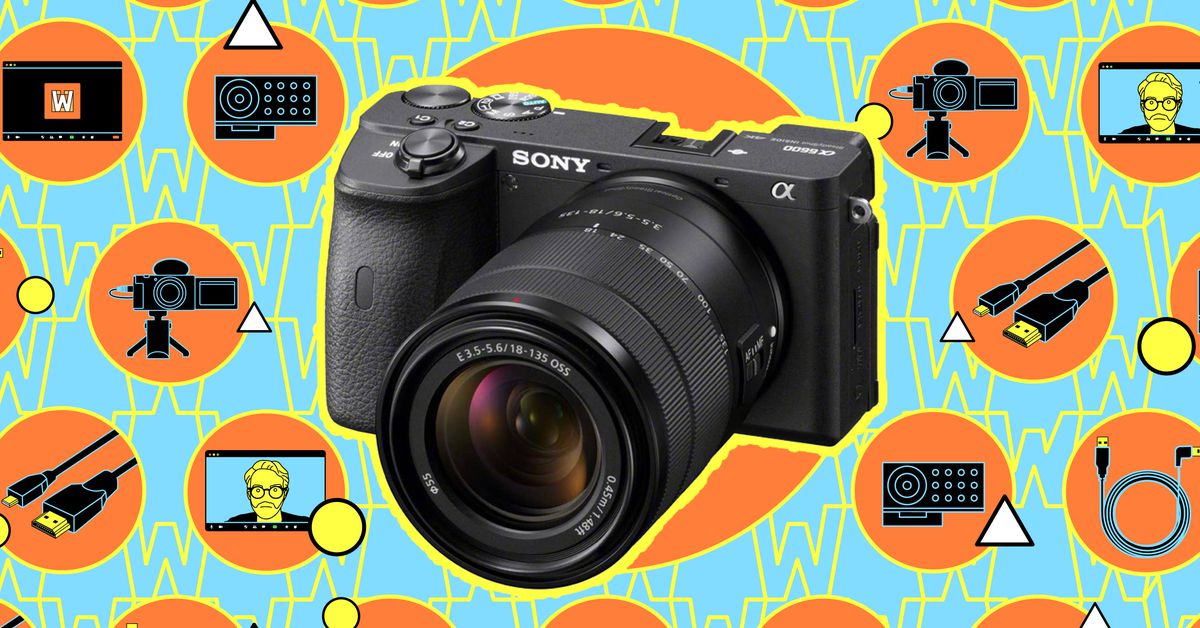
Dieter, and indeed all my colleagues at The Verge, had been forced to stare at that ugly W because I wanted to convert my very expensive Sony A7 III mirrorless camera into a webcam. I was feeling frugal, and I’d already collected more capture cards and “HDMI to X” cables than I think Monoprice even knows exists; I was sure I could figure out a way to give my Zoom experience a gorgeous boost with minimal cost. Who doesn’t want to control the ISO and aperture and have all their colleagues ask why you’re in high definition when they’re firmly in standard? While some of my colleagues might rather tinker with phone settings or CPU voltages, I could happily spend weeks — months — perfecting my Zoom look.
It’s supposed to be easy. You buy a mount for your camera. (Deputy editor Dan Seifert recommended this $60 arm and $20 clamp, which worked great.) You download some software to your computer. You plug your big expensive digital camera into your computer and you have magic.
Sony’s A7 III had other plans for me.
In the early days of the pandemic, webcam shortages led to many people requesting software that would let them use their expensive cameras as webcams. Camera makers happily obliged. Sony was one of the last, but that additional time feels … poorly spent. The Mac version, which launched in October 2020, is more driver than app. Sony’s software does little more than tell my computer that my camera is a camera, and throws up the W whenever the video feed isn’t ready. There’s no controlling of settings or any of the other things that, say, Sony’s tethering app can do (like ISO and aperture). There’s simply installation and prayers. You install it, restart your computer, and pray Sony Imaging appears in the camera choices for apps you use.
Importantly, you then have to open an app that uses your camera, and then turn on the camera, and then wait for Sony Imaging Edge Webcam to start running before your video will actually, finally appear on the screen. If you turn on the camera before you open, say, Zoom, you may be faced with an error message saying the camera is already in use. Only restarting the physical Sony camera itself will resolve it — and while you’re busy fixing things, other people on the Zoom call (probably Dieter) are stuck looking at that big ugly W.
Mastering the order of operations is key. So is remembering to reboot it periodically during the day. When I walked away after a call and came back to do another one, I found myself staring at the W because the camera decided to power itself off again.
Eventually, I did buy that adapter Dieter had been begging me to buy for months, and it instantly resolved my great orange W issue. But it revealed that while I’d laid a lot of blame at Sony Imaging Edge Webcam’s feet, the software didn’t deserve all of it.
:no_upscale()/cdn.vox-cdn.com/uploads/chorus_asset/file/23160196/gygvusba7iii__1_.jpg)
Those automatic shutdowns? With that big orange W glaring at me I’d naturally assumed they were a software problem. But my coworkers (and I) soon learned it was a heating problem. The USB-powered dummy battery ($45.95) I used was overheating my entire camera, forcing it to shut down again and again.
I’m now on a quest for an adapter that will not overheat my entire camera. But so far, I’ve already spent $80 on a stand, $46 on a battery pack, and $25 on an HDMI adapter. That’s $151 I’d sunk into trying to cheaply turn my DSLR into a high-powered webcam. For the same price, I could have picked up a webcam from Newegg or Micro Center and avoided the shame of the W.
And after spending all that money trying to have the very best fidelity webcam, that’s when Opal launched the $300 Opal C1. My co-workers love it, probably because it does everything I’d spent $151 on, but in a tiny package that doesn’t also require investing in a costly camera. I try to be a savvy enough tech shopper that I rarely regret purchases, but reading Cameron Faulkner’s review of the C1 while my expensive and not very reliable webcam literally loomed over my head gave me some powerful regret.
:no_upscale()/cdn.vox-cdn.com/uploads/chorus_asset/file/23067802/cfaulkner_141231_4911_0004.jpg)
Soon after, I edited Allison Johnson’s piece about refusing to care about her webcam because she has no interest in tinkering with that part of her work setup. I wildly disagree with her (that’s okay! She also likes Android phones!) — a big reason I spent so much time trying to perfect this setup was because it was something I wanted to tinker with. I wanted to be finicky and tweak things and produce the best image I could even if it was only visible to Nilay, Dieter, and Andru during a Vergecast recording on Zoom.
I probably won’t get the Opal C1 or even just a budget webcam at Micro Center. I probably will continue to refresh the Sony Imaging Edge Webcam page hoping for a better update, while buying and returning scores of USB dummy battery adapters as I hunt for one that doesn’t exacerbate the Sony A7 III’s well-known heating problem. I’ll continue to tinker even as Dieter’s eye twitches and I inevitably get roasted on Twitter.
Trying to turn a real camera into a webcam will not be worth the money or time I’ve spent thus far and will probably continue to spend. But one day I will have that perfect video quality and a keen satisfaction with all the effort I’ve put into this relatively needless task. No one will acknowledge my webcam and I’ll feel immense pride.
And then I’ll probably start working on my Zoom background.
Credit: Source link